The AI calorie tracker that grades your meals
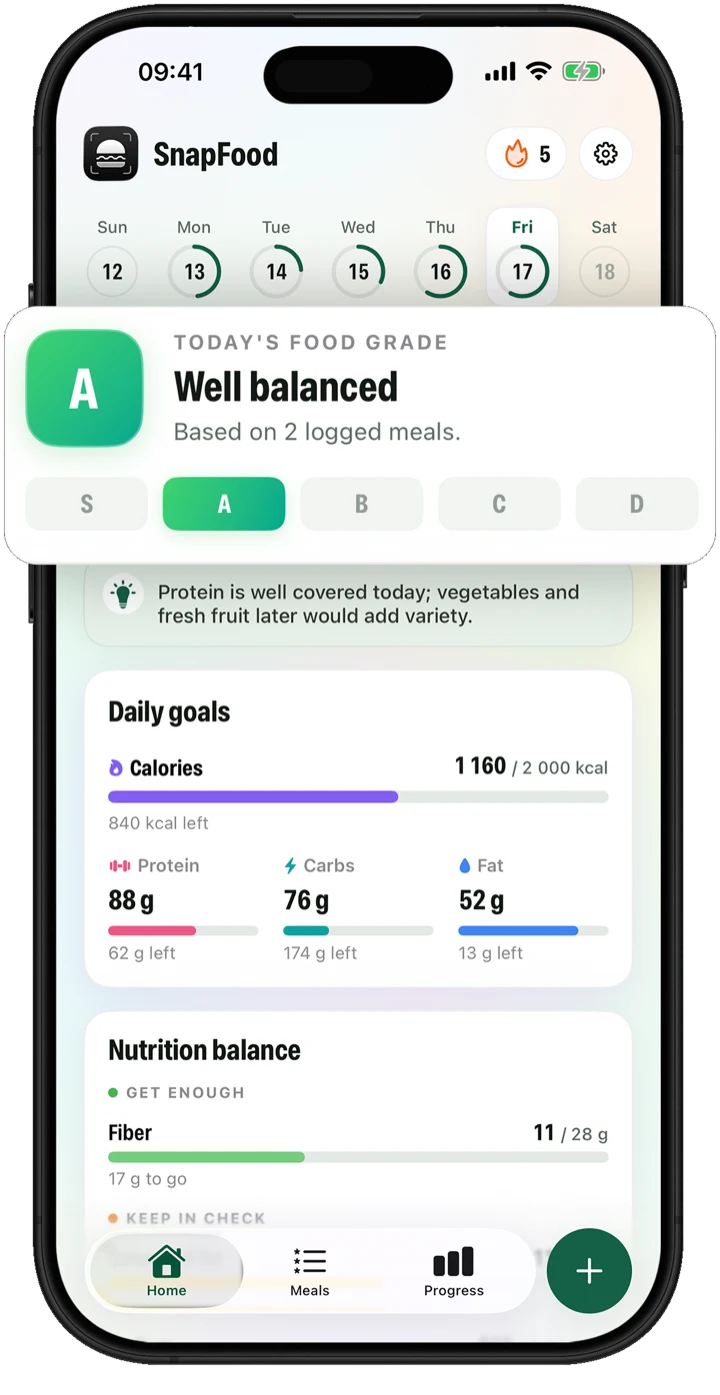
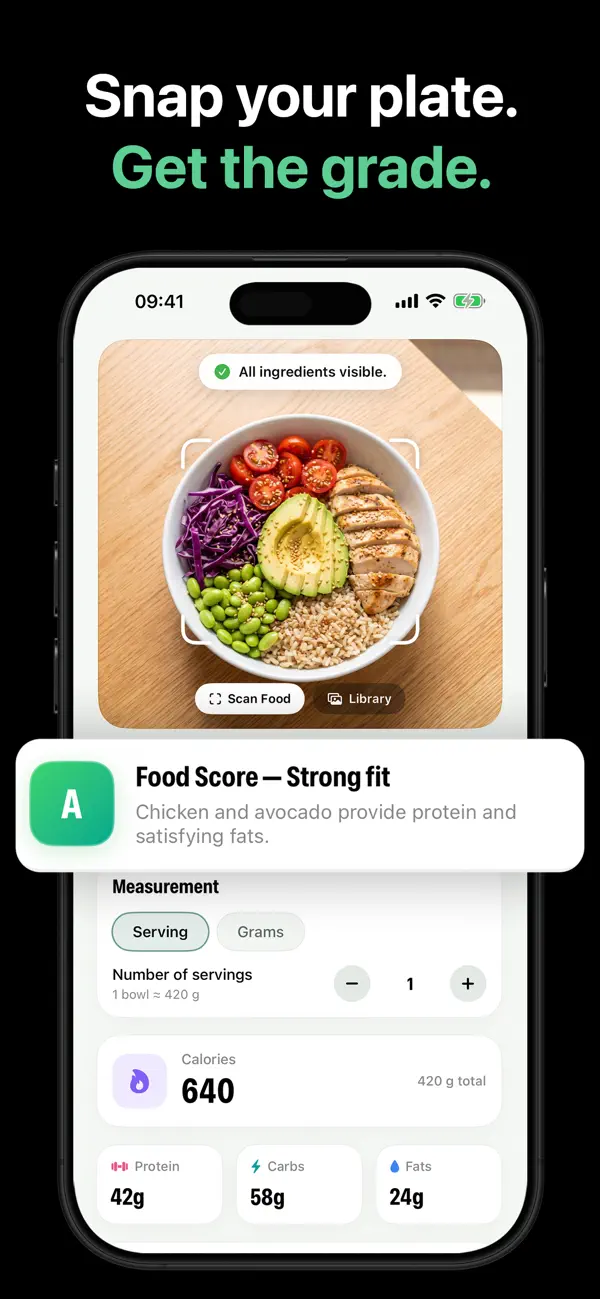
Snap a photo of your plate. In seconds, SnapFood counts calories, protein, carbs and fat — and grades your meal from S to D with a one-line reason. No barcodes. No database digging. No guessing portions from a list.
Count calories by taking a picture — in three steps
SnapFood is a photo calorie counter: the camera does the logging, the AI does the math, and you get an answer you can act on.
Snap your plate
Point your camera at real food — home-cooked, restaurant, takeout. One photo with the ingredients visible is all it takes.
Get the full picture
Calories, protein, carbs and fat, plus fiber, sugar, sodium and more — with an S–D grade and a one-line reason. No lectures, no guilt.
Fix it with a sentence
Scan missed something? Say so: “the rice was brown”, “add a fried egg”. Nutrition, ingredients and grade update instantly.
A nutrition tracker that reads the whole plate
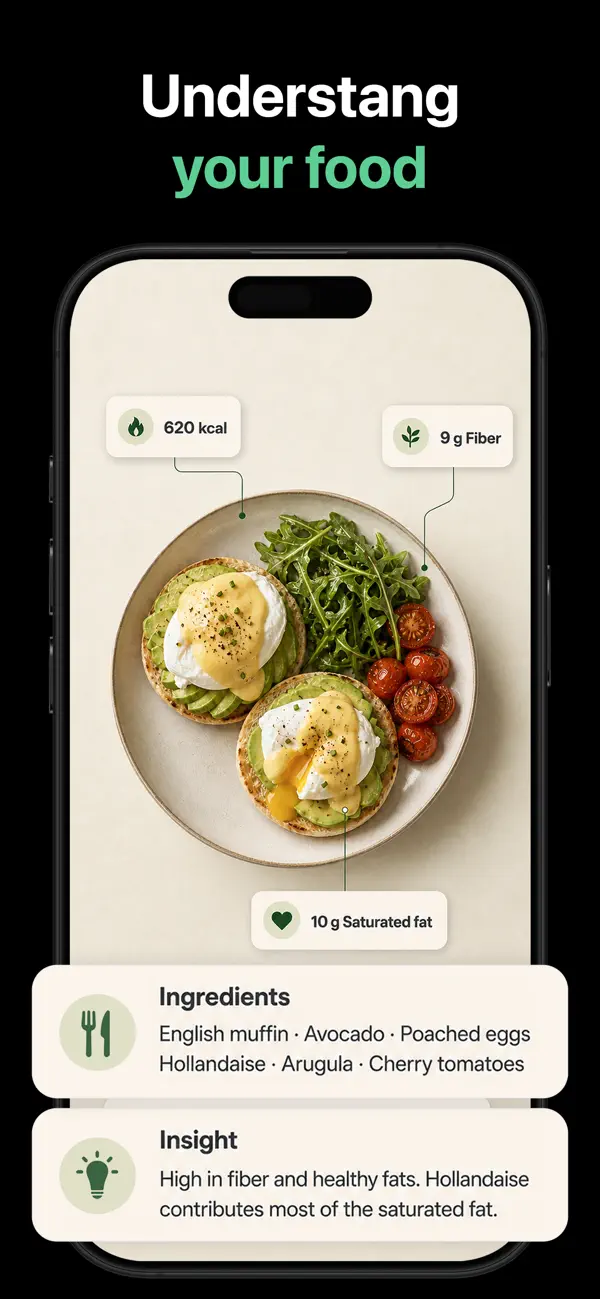
Most apps stop at a calorie number. SnapFood tells you what the meal is actually made of — and what to do about it.
15+ nutrients per scan
Calories, protein, carbs and fat — plus fiber, sugar, saturated fat, sodium, potassium, calcium, iron, magnesium and vitamin D.
Two panels, zero noise
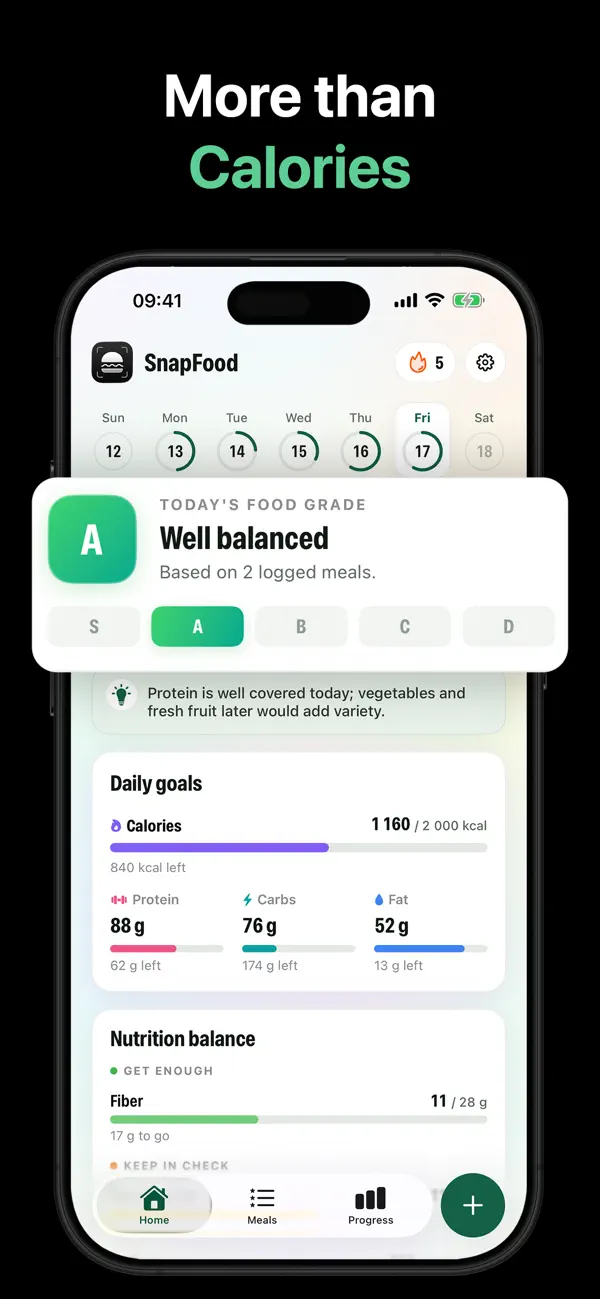
“Get enough” tracks the nutrients to aim for. “Keep in check” watches the ones to limit. Your whole day, one clear picture.
Fix it with a sentence
“The rice was brown.” “Add a fried egg.” SnapFood re-reads the meal and updates nutrition, ingredients and the grade instantly.
A plan that’s actually yours
Answer a few questions, get daily calorie and macro targets built for your body, activity and goal — lose, maintain or gain.
A grade for your day
A day grade shows how today went at a glance, with daily tips that already know what you’ve eaten.
Progress you can see
Streaks that reward showing up (not perfection), weight tracking with a clear trend, and gentle meal reminders.
See SnapFood in action
From the first scan to the weight trend — this is what eating well on autopilot looks like.
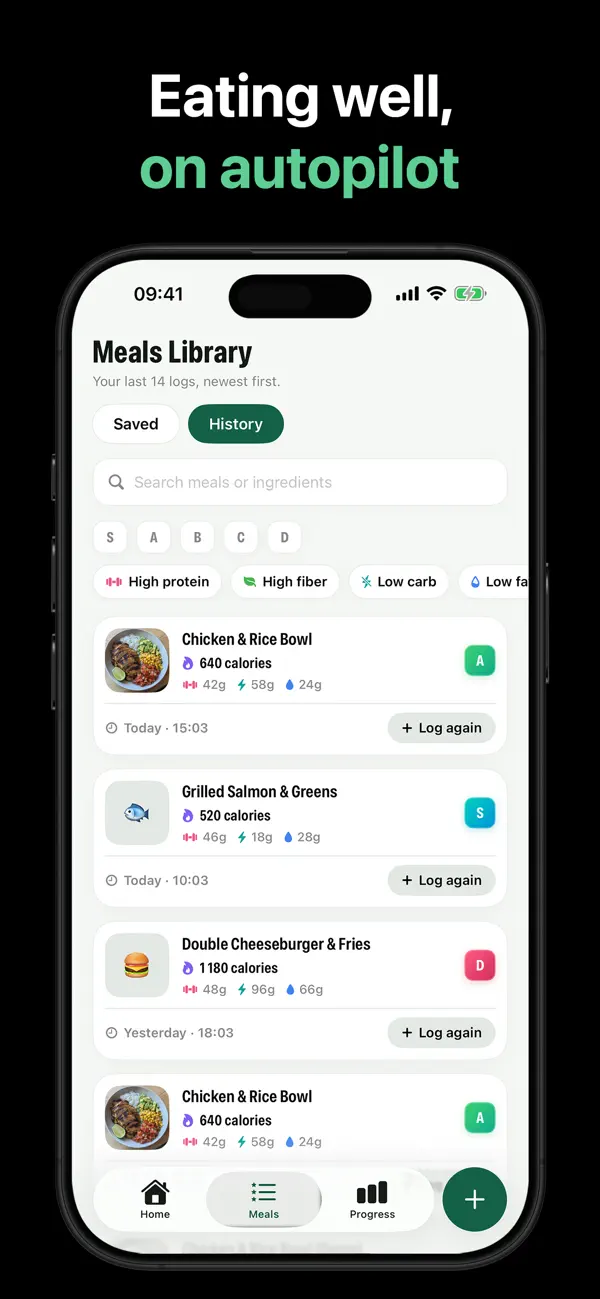
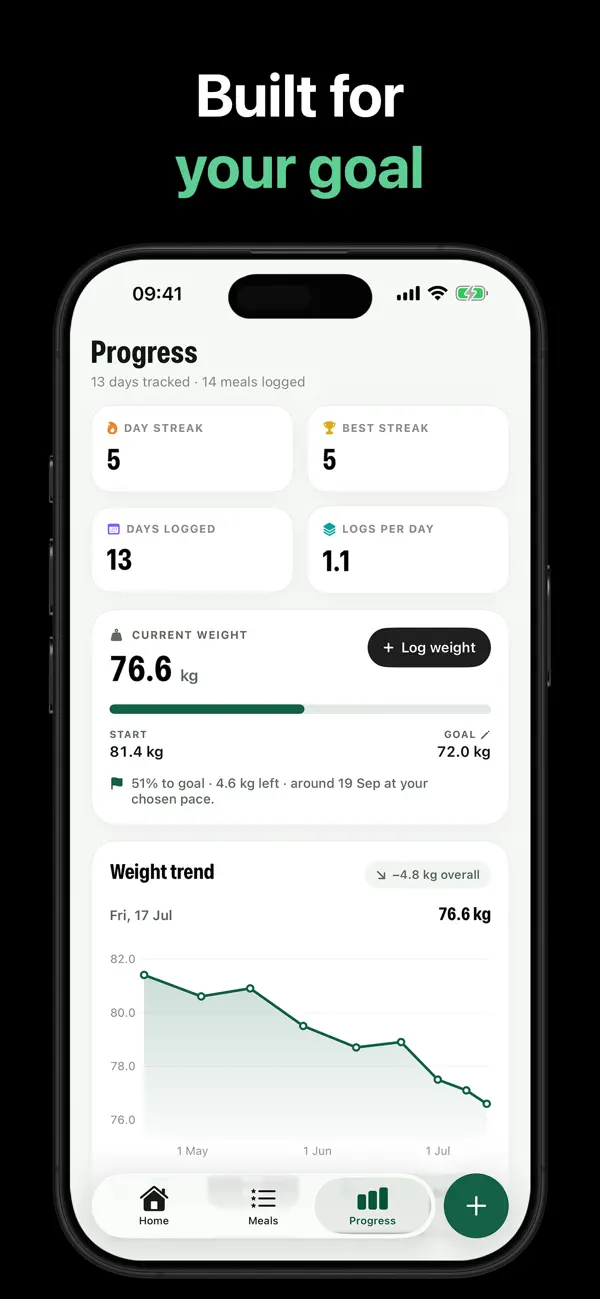
Swipe to see more →
A food scanner app for real meals — not barcodes
Product scanners grade packages and labels. SnapFood grades meals — the actual food on your actual plate. Because most of what you eat doesn’t come with a barcode.
Barcode & label scanner apps
- Need a barcode or a label to work
- Cover packaged products, not cooked plates
- Restaurant dinner = manual database search
- Grade the product — not your portion
SnapFood
- Point the camera at any plate — home-cooked, restaurant, takeout
- Ingredients recognized automatically from the photo
- Portion-aware calories, macros and 15+ nutrients
- Grades the meal you’re actually eating — then helps you fix it
Learn the method, not just the app
Short, practical guides to photo calorie counting, macros and real-world tracking — each one ends with exactly how to do it in SnapFood.
How to count calories by taking a picture
The full snap-to-grade flow, and how to get the best scans.
Read the guide → AccuracyHow accurate are AI calorie counters?
What photo AI gets right, where it drifts, and how to correct it.
Read the guide → No scaleTrack calories without weighing food
Ditch the food scale without losing the plot on portions.
Read the guide → CaloriesHow many calories should you eat a day?
Find your real number — not a generic 2,000 kcal default.
Read the guide → Weight lossWhat is a calorie deficit?
The mechanism behind weight loss — and how to stay in one.
Read the guide → MacrosHow to track macros (for beginners)
Protein, carbs and fat targets — without spreadsheet misery.
Read the guide → Eating outHow to track calories when eating out
Restaurants don’t print macros. Your camera doesn’t care.
Read the guide → GradesFood grades explained: S to D
What the grades mean and how they’re scored.
Read the guide →Questions, answered honestly
How does SnapFood count calories from a photo of my food?
How accurate is AI calorie counting?
Do I need to weigh my food or scan barcodes?
How many calories should I eat a day?
What is a calorie deficit — do I need one to lose weight?
Can SnapFood track protein, carbs and fat (macros)?
Does SnapFood work at restaurants and with takeout?
What do the S to D food grades mean?
Is SnapFood free?
What happens to my food photos?
Snap your plate.
Get the grade.
Free on the App Store and Google Play. Point your camera at tonight’s dinner and see what it says.
Free download · iPhone & Android · Nutrition values are AI estimates, not medical advice.