 SnapFood
Eating out is where calorie tracking traditionally collapses. There's no label, no barcode, no scale — and nobody wants to be the person interrogating a waiter about hollandaise. The result: restaurant meals go unlogged, and unlogged meals are how a good week quietly becomes a flat month. Here's the playbook that survives contact with an actual social life.
Rule 1: chains are a solved problem
Large chains publish nutrition data — many are legally required to. If you're at a major chain, look up the dish and log those numbers; they beat any estimate. The trap is assuming this covers you everywhere. Most meals out aren't at chains, and menu math doesn't transfer: your local bistro's carbonara and a chain's carbonara can be 400 kcal apart.
Rule 2: for real restaurants, scan the plate itself
This is the job photo calorie counting was born for. The plate in front of you is the ground truth — not a database entry written about a different kitchen's version. One overhead photo before you start eating and SnapFood identifies what's actually there: the protein, the sides, the sauce pooling under the fish, the bread you didn't plan to eat.
Restaurant-specific tips for a good scan:
- Shoot when the plate lands — complete, untouched, best light you'll get.
- Include everything on the table that's yours: the fries you're "sharing", the drink, the butter for the bread.
- Dim lighting? The scan still works — just skim the detected ingredient list afterwards and fix anything it misread.
Rule 3: assume the kitchen is generous
Professional kitchens make food delicious with fat, sugar and salt — quantities a camera can't fully see. Close the gap with corrections:
- “Cooked in butter” — because it was.
- “Creamy dressing, not vinaigrette.”
- “Add the table bread, two pieces.”
Each sentence updates the calories, macros and the meal's grade instantly. When you genuinely can't tell, err high — a slightly pessimistic log protects your calorie deficit; an optimistic one quietly spends it.
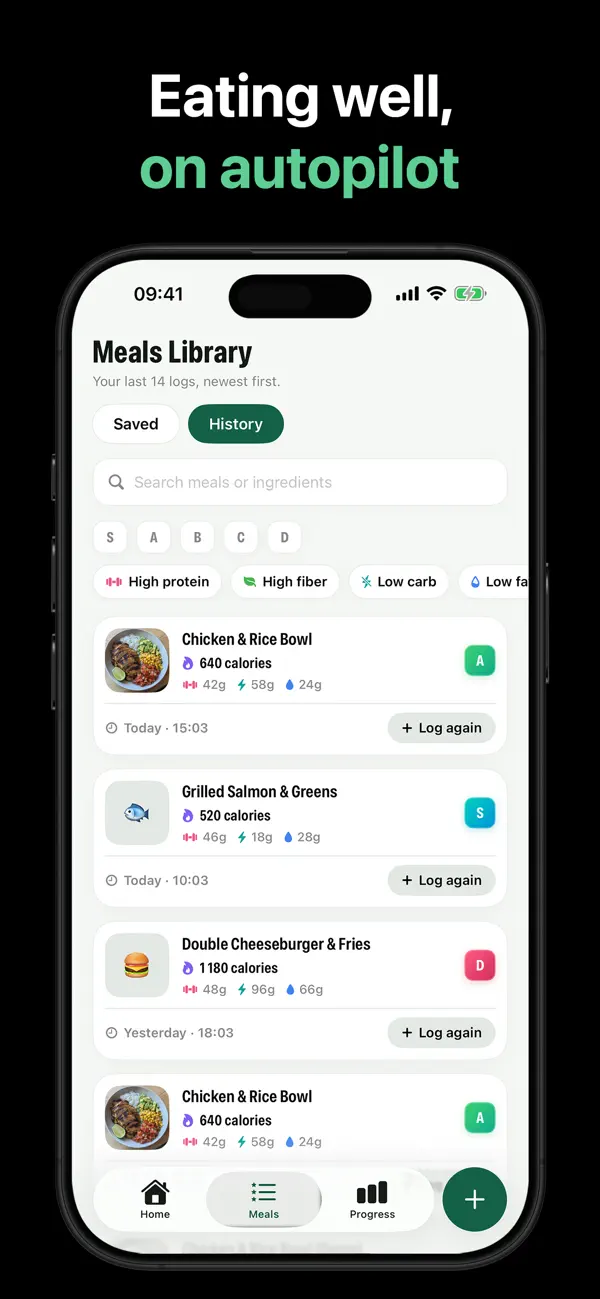
The full restaurant workflow in SnapFood
- Snap the plate as served. One overhead photo, ten seconds, phone back in your pocket.
- Skim the ingredients. The scan lists what it saw. Restaurant plates are complex — this is your two-second audit.
- Add the invisible richness. Butter, oil, cream — one sentence, recalculated instantly.
- Adjust the portion if you didn't finish. Servings or grams, your call.
- Let the grade be honest. A D-grade burger night doesn't break the system — it is the system working. Log it, keep the streak, and let tomorrow's day grade start fresh.
Ordering tricks that don't ruin dinner
- Dressing and sauces on the side — you control the single biggest calorie variable on the plate.
- Watch the menu adjectives: crispy, creamy, smothered, breaded — each one is a calorie forecast.
- Protein + vegetable anchors grade well and travel across cuisines: steak and greens, fish and vegetables, chicken skewers and salad.
- Drinks count. A couple of cocktails can out-calorie the appetizer. Log them too.
Eat out. Stay on track.
No barcode, no menu data, no problem — SnapFood reads the plate in front of you. Free on the App Store and Google Play.
Frequently asked questions
How do I count calories at a restaurant with no nutrition info?
Should I round restaurant estimates up or down?
Isn't it awkward to photograph food at dinner?
Nutrition values, grades and recommendations in SnapFood are AI-generated estimates and may be inaccurate. This guide is general information, not medical or dietary advice. Consult a qualified healthcare professional before making health or diet decisions.